

このページの日本語版はまだありません。以下は英語の原文です。
./deploy.sh stack with
SEED_DEMO_DATA on; part 1 is drawn, with the authorization rules behind the
drawing listed below it.
SEED_DEMO_DATA defaults to on, so the ① → ② → ③ chain is walkable the moment
./deploy.sh finishes. Signing in and browsing the seeded record need no
model; reading a file and answering a question use the model chosen on the
setup page, a key or the local models.
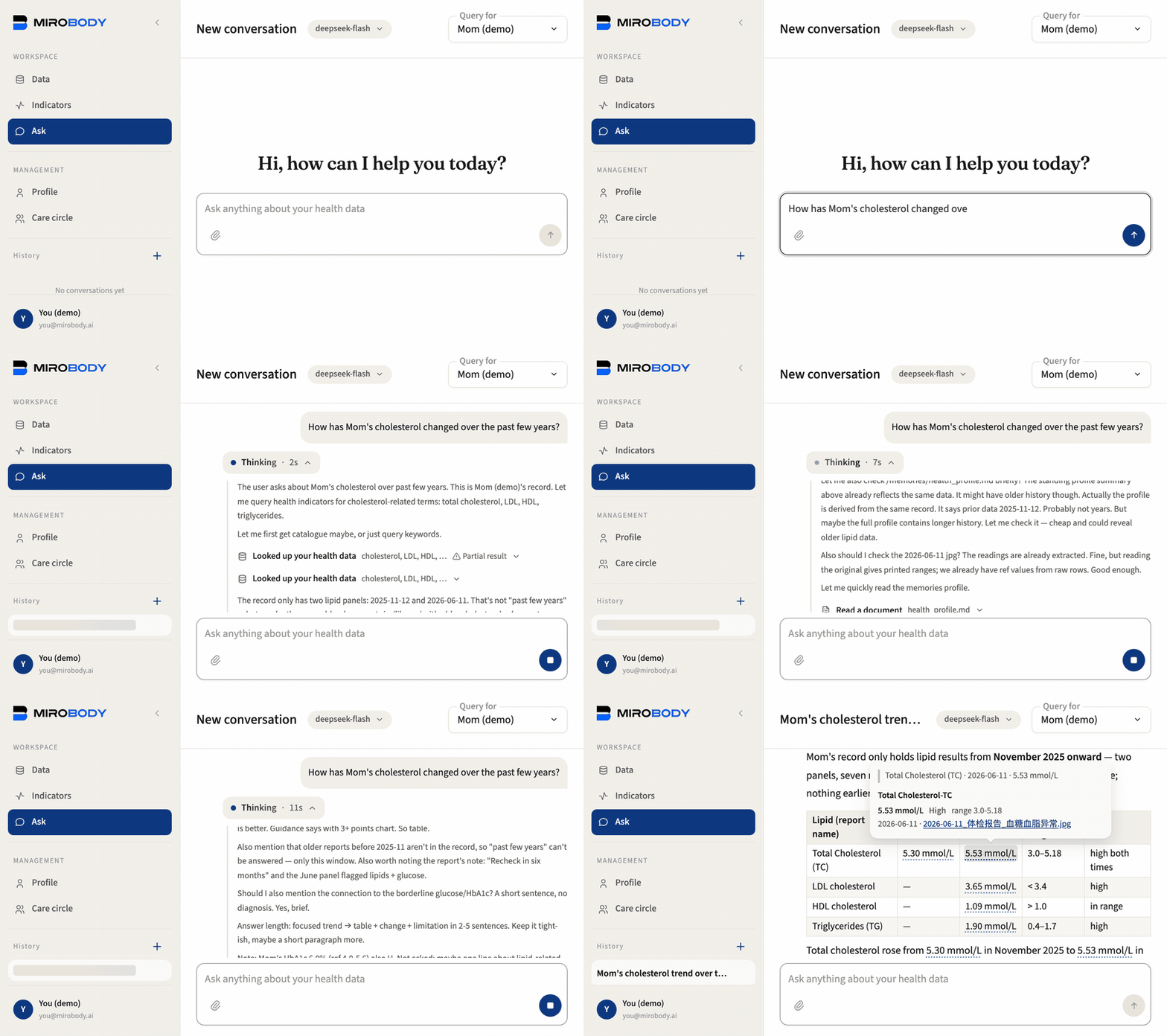
1 · Arrive. You sign in as you@mirobody.ai and find two records, not one.
Yours: a year of self-tracked vitals and a lab panel from last November.
mom@mirobody.ai has the same shape and is a different person, sharing their
record with you view-only, and their weight is climbing, their nights are short
and their HbA1c has crossed out of range. Same question, two answers, and only
one of the two records is yours. Isolation you can see, not just read about.


Each of the four is pinned by a test as a security property.
The switch is a column, not a promise:
care_circle_members.health_access, NOT NULL DEFAULT 0, on your own row.
Being invited into a circle shares nothing — the member decides, and no other
person’s action can raise it. The check that reads it raises rather than
returning a falsy value, so a route that forgets to look answers 403 instead of
handing over a record.
examples/06_care_circle_rules.py prints
the whole decision table offline.
One member is the exception: someone you add on the Care Circle page, a parent
who will not sign in. Their address is a placeholder nobody can sign in with,
so you hold their switch, read-write. When they want their own login, send them
the invitation link from their card. They prove their real address (a code sent
there, or a password where the deployment sends no mail), the account and
everything in it becomes theirs, and they choose what you keep: edit, view or
nothing. If the address already has an account, the record is merged into it.
2 · ① Collect. demo/upload/ holds four files the seed
deliberately leaves out, so uploading one is not a no-op — and they are four
different formats, because a health record arrives as whatever the lab, the
clinic and the family actually produce:
Drop one on the Data page and the file is stored first, verbatim and traceable.
That is all ① Collect does, and the split matters: what a lab said is one fact,
what it means is another.
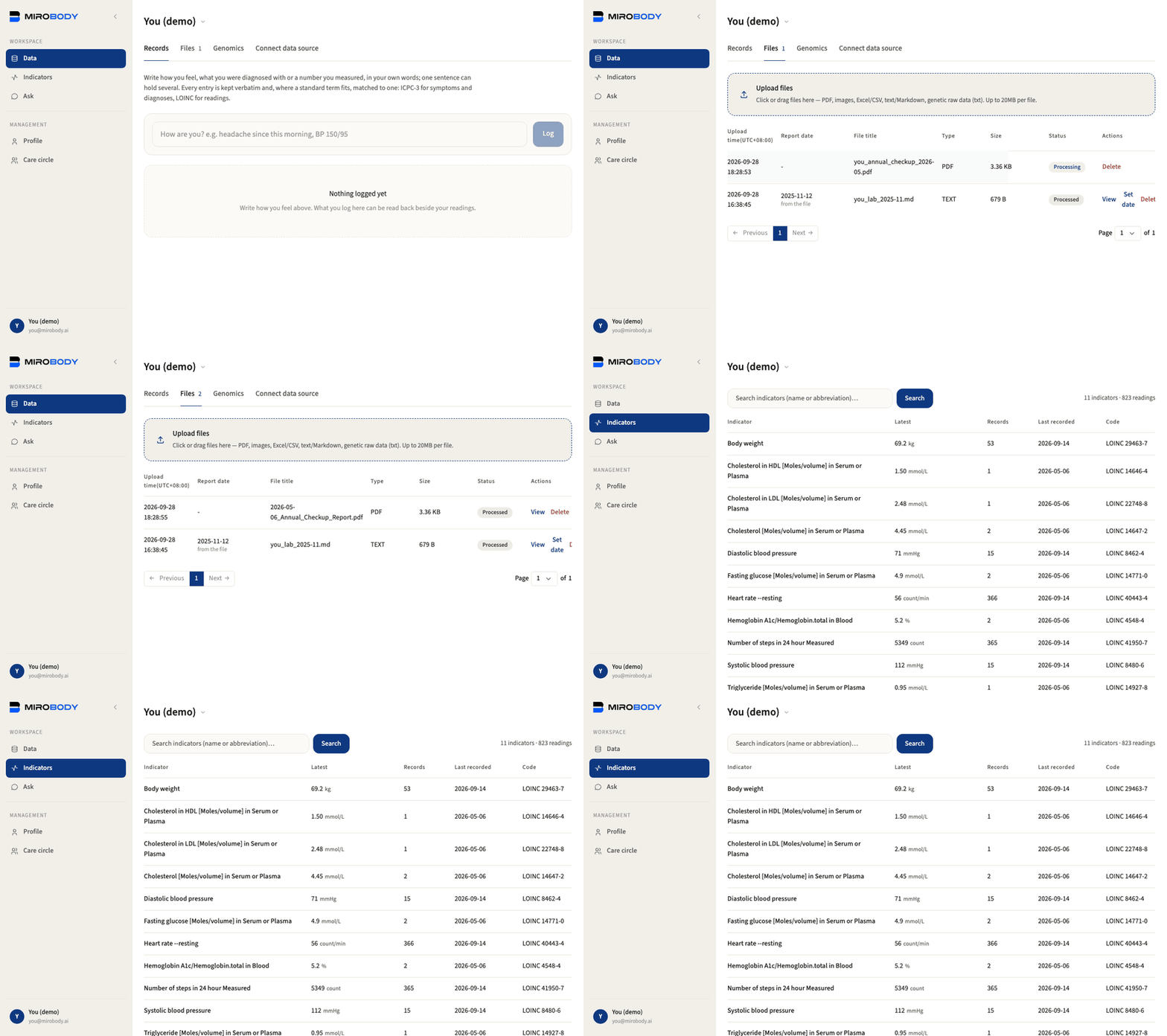
Cholesterol, Total where
the panel prints Total Cholesterol-TC — and both are 14647-2, so they are one
series and not two. The unit is part of that identity rather than something
smoothed over: cholesterol is 14647-2 in mmol/L and 2093-3 in mg/dL, and saying
so is what stops a trend built from a mix of the two from being silently wrong.
Reconciling those two codes into one comparable line is 1.5.0’s comparability
key; on the device side the conversion already happens, and
examples/02_standardize_a_reading.py
turns 154.5 lb into 70.08 kg offline.
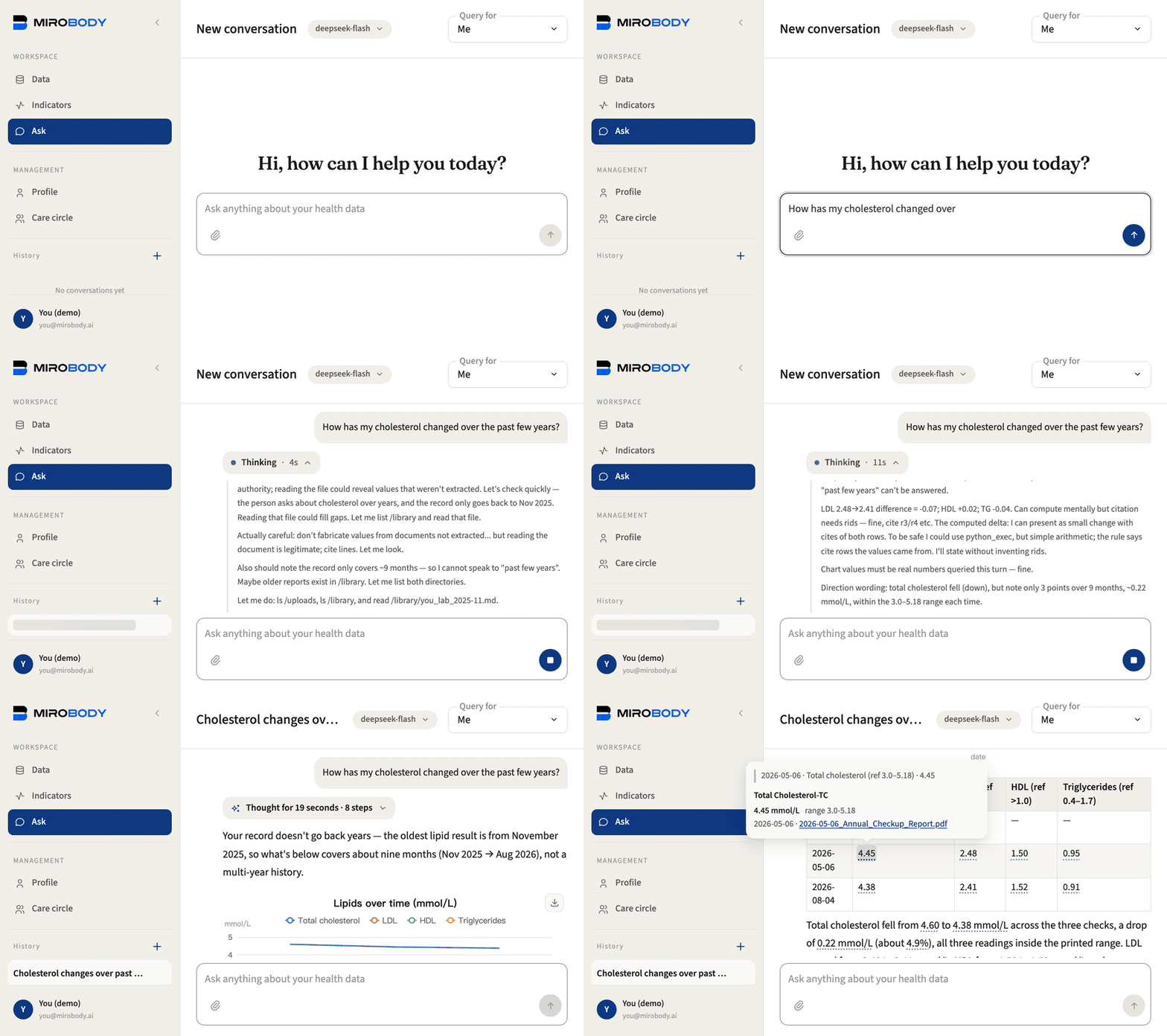
4 · ③ Agent. Ask how the cholesterol has moved. While it works, the
answer shows each step it takes (“Looking up your health data”, “Reading a
document”) beside its reasoning, then folds them away. It finds every file
that carries the test, the csv’s other spelling included, and answers from
what it read:
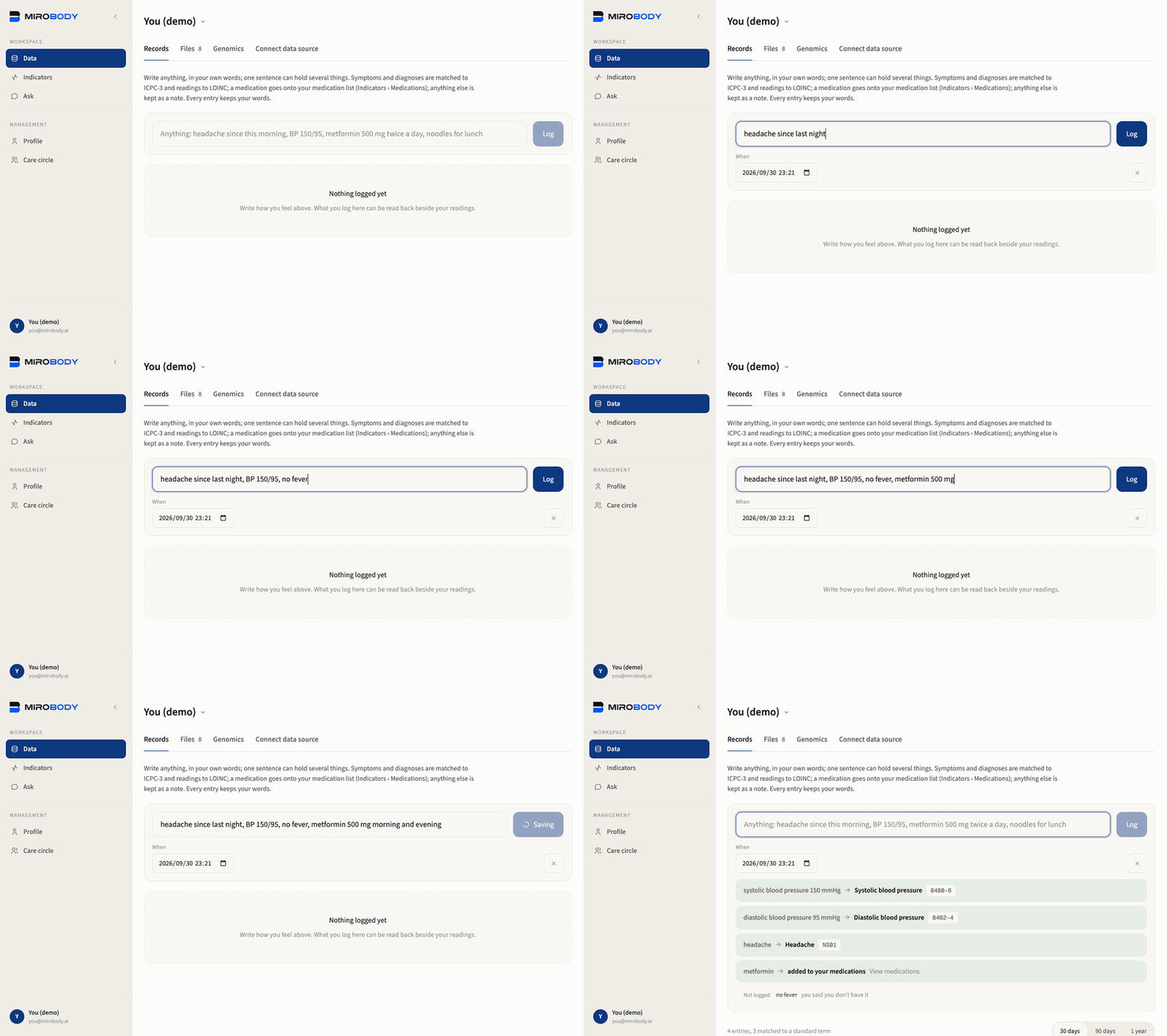
headache since last night, BP 150/95, no fever, metformin 500 mg morning and evening.
The model splits it and types each part; the codes come from the vocabulary.
It becomes a headache coded NS01, blood pressure coded 8480-6 and 8462-4, and
metformin on the medication list. “No fever” is kept out of the record rather
than logged as a fever.
SEED_DEMO_DATA=false for a deployment that will hold
real data. demo/README.md says what each file is and how
to rebuild it; what the extraction pass does not yet do with those readings is
in docs/roadmap.md rather than glossed over here.